
Happy Birthday tText Technology Why choose an open source Bitly alternative?

Why choose an open source Bitly alternative?

A Bitly alternative can be a practical choice for individuals, businesses, developers, and organizations that want more control over their links. URL shorteners are useful because they turn long, difficult-to-share web addresses into short and memorable links.
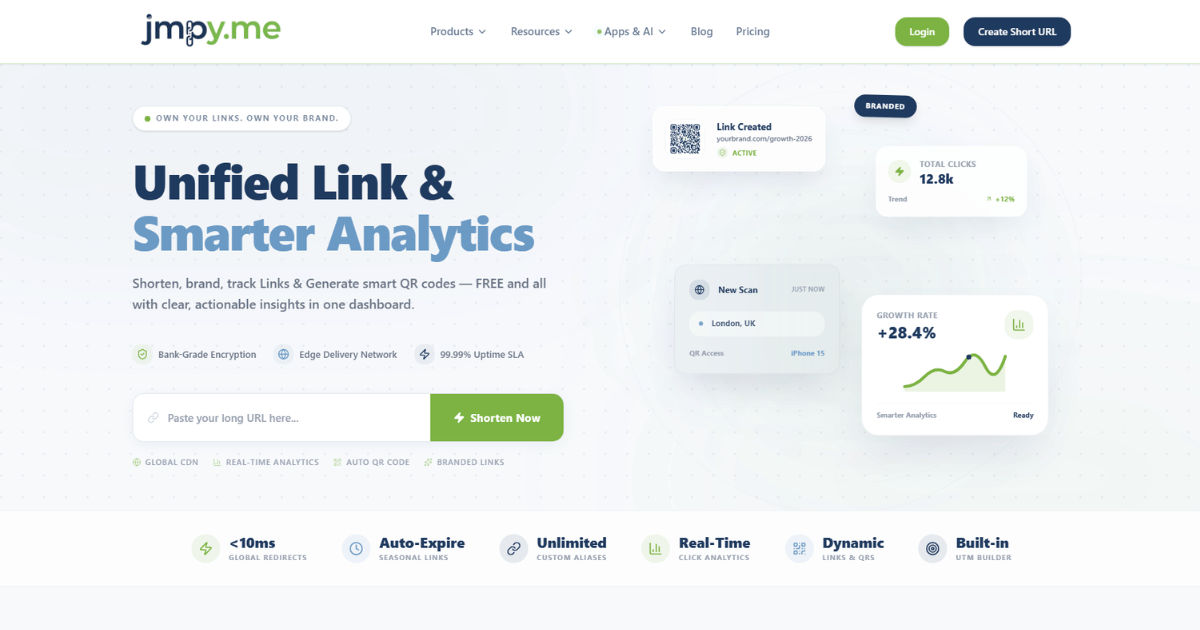
However, not every organization wants to depend entirely on a third-party platform for something as important as link management. When a business creates thousands of shortened URLs, those links can become a valuable digital asset. They may appear in advertisements, product packaging, social media profiles, email campaigns, QR codes, and printed documents. Losing control over those links can create serious problems.

This is one reason an open source Bitly alternative has become attractive to many users. Instead of relying completely on a commercial service, an organization can use software that can be inspected, customized, hosted, and managed according to its own requirements.

An open source solution can provide greater ownership over data, more control over privacy, and flexibility in how the platform operates. It can also give developers the freedom to modify the software when the default features do not meet a specific business need.

The decision is not simply about finding a free URL shortener. It is about deciding who should control the infrastructure behind your links, where your data should be stored, how much customization you need, and how much independence you want from external service providers.

What Is an Open Source URL Shortener?

An open source URL shortener is software that allows users to create short URLs while providing access to the underlying source code.

Traditional URL shortening services usually operate as hosted platforms. You create an account, generate short links, and manage everything through the provider's infrastructure. The provider handles the servers, databases, software updates, security, and maintenance.

An open source URL shortener works differently.

The software can usually be downloaded, reviewed, modified, and deployed on infrastructure controlled by the user or organization. Depending on the project and its license, developers may also be able to customize the application to support unique business requirements.

This means an organization can potentially run its own link-shortening system instead of sending all link data to an external provider.

For example, a company may create a branded short domain such as example.com and use it to generate links for marketing campaigns. Instead of depending on another company's domain, the organization controls its own domain and infrastructure.

The short URL might redirect visitors to a product page, blog article, registration form, or campaign landing page.

The main difference is control.

With a hosted service, the provider controls the platform. With an open source solution, the organization has much greater control over how the system is deployed and managed.

Greater Control Over Your Data

One of the strongest reasons to choose an open source Bitly alternative is data ownership.

Link shortening systems can collect valuable information about how links are used. Depending on the software, analytics may include click counts, referral information, geographic data, device information, browser details, timestamps, and other tracking information.

For a business, this data can be commercially valuable.

When using a third-party service, users must trust that provider to store and process this information according to its policies. The organization may have limited control over how the data is handled.

Self-hosting changes the situation.

With an open source platform, an organization can decide where its database is located, who has access to it, how long information is retained, and how backups are handled.

This can be particularly important for companies operating under strict internal data policies or privacy requirements.

Instead of depending entirely on an external platform, the organization can create its own data management policies.

This does not automatically make a self-hosted system more secure or private. The organization is still responsible for configuring the system correctly. However, it provides greater control over the environment in which the data is stored.

For businesses that consider link analytics sensitive or commercially important, this level of ownership can be a major advantage.

Better Privacy Management

Privacy is another important consideration.

Many modern businesses are becoming more careful about the data they collect from website visitors. Customers are also increasingly aware of online tracking and data collection.

A URL shortener can be part of this discussion because link clicks may generate analytics information.

An open source Bitly alternative gives organizations the opportunity to design their tracking approach around their own privacy requirements.

For example, a company may decide that it only needs basic click counts. It may not need detailed information about individual visitors.

Instead of collecting unnecessary data, the organization can configure its system to follow a more limited approach where technically possible.

This can help support a privacy-focused digital strategy.

However, privacy depends on implementation. Open source software does not automatically guarantee privacy. The administrator must understand what data the software collects, configure analytics appropriately, secure the server, and follow applicable privacy laws and organizational policies.

The key benefit is control.

The organization has more opportunities to decide how the system should operate instead of accepting every default setting imposed by a commercial provider.

No Dependence on a Single Vendor

Vendor dependence is a common concern for businesses using online software services.

When a company builds its entire link infrastructure around one provider, moving to another platform can become difficult.

Imagine a business that has created tens of thousands of shortened URLs over several years. These links may appear across websites, advertisements, email campaigns, printed brochures, business cards, product packaging, QR codes, and social media profiles.

If the service changes its pricing, discontinues a feature, restricts an account, or shuts down, the business may face a difficult transition.

An open source Bitly alternative can reduce this type of dependency.

If the software is self-hosted, the organization controls the application and the domain. It is not relying entirely on the continued availability of a third-party URL-shortening company.

This does not mean there is zero risk.

The organization still depends on its hosting provider, domain registrar, infrastructure, and technical team. However, the dependency structure is different.

The company has more control over the critical parts of the system.

This can be especially valuable for organizations that want to build long-term digital assets rather than rent access to them from a third-party service.

More Freedom to Customize

Every organization has different requirements.

A marketing agency may need campaign analytics. A software company may want API integration. A university may need internal link management. A nonprofit organization may want a simple branded redirect system.

A commercial URL shortener may provide many useful features, but there can still be limitations.

An open source Bitly alternative can provide greater customization possibilities.

Developers can potentially modify the user interface, integrate the system with internal applications, connect it with existing databases, or add features that are specific to the organization's workflow.

For example, a business could build an internal dashboard that connects shortened links with its marketing campaign system.

A company could also create custom user roles and permissions.

An organization with a large sales team might want different employees to access different link collections. A university might want separate link management for different departments.

With open source software, the possibilities are often broader because developers can work directly with the source code.

Of course, customization requires technical skills.

The ability to modify software is useful only if an organization has developers or can hire professionals who understand the technology. For businesses without technical resources, a hosted commercial service may still be easier.

Potentially Lower Long-Term Costs

Cost is often one of the first factors people consider when choosing an open source solution.

Open source software is frequently available without traditional licensing fees. However, that does not mean it is completely free to operate.

An organization that self-hosts a URL shortener may still need to pay for:

  • Web hosting

  • Cloud infrastructure

  • Domain registration

  • Backups

  • Security monitoring

  • Software maintenance

  • Technical support

  • Development work

The actual cost depends on the size and complexity of the deployment.

For a small organization, the infrastructure cost may be relatively low. A large company with millions of redirects and extensive analytics may require more powerful infrastructure.

Even so, an open source Bitly alternative can become more economical for organizations that generate a high volume of links or need advanced customization.

Instead of paying increasing subscription fees as usage grows, the organization can manage its infrastructure directly.

This makes the financial calculation more flexible.

The key is to consider total cost of ownership rather than simply comparing subscription prices.

A cheap solution that requires constant technical maintenance may ultimately cost more than a reliable hosted service. On the other hand, a business with an existing technical infrastructure may find self-hosting highly cost-effective.

Full Ownership of Your Short Domain

A short domain is an important part of a link-shortening strategy.

Businesses often want links that match their brand. A branded short URL can look more trustworthy and professional than a generic link.

For example, a company might use a short domain for promotional campaigns, printed advertising, or QR codes.

An open source Bitly alternative allows an organization to build its link system around a domain that it owns and controls.

This can create greater independence.

The company is not required to use the provider's domain for its short links. Instead, it can configure the software to work with its own domain.

This is especially important for long-term branding.

If the company changes URL-shortening providers, it may be easier to preserve its branded domain and redirect infrastructure when the system is self-hosted.

However, the domain itself must still be maintained carefully. The organization needs to renew it, protect its DNS configuration, and ensure that the hosting infrastructure remains available.

The short domain is effectively part of the company's digital identity, so it should be treated as a valuable asset.

Better Integration With Internal Systems

Modern businesses rarely use software in isolation.

A marketing department may use a customer relationship management system. A sales team may use an internal dashboard. An eCommerce company may have its own analytics platform.

An open source URL shortener can potentially be integrated into these systems.

Developers can use APIs or modify the software to automate link creation.

For example, an eCommerce company could automatically generate short links for product campaigns.

A marketing platform could create a unique short URL for every campaign.

A customer support system could generate short links for help articles.

A mobile application could use the system to create trackable links automatically.

These integrations can reduce manual work.

Instead of employees visiting a separate platform every time they need a short URL, link creation can become part of an existing workflow.

This is one of the areas where open source software can be particularly powerful.

The organization is not limited to the features available in a standard dashboard. Developers can build connections that match the company's specific processes.

Greater Transparency

Open source software offers something that proprietary software generally cannot provide to the same extent: source code visibility.

Developers can examine how the application works.

This can be valuable for organizations that want to understand the technology they depend on.

Security professionals may review the code for potential weaknesses. Developers can inspect how data is processed. Technical teams can evaluate whether the software meets internal requirements.

Transparency does not guarantee that software is secure.

Open source projects can still contain vulnerabilities. Poorly maintained projects may become outdated. Developers may make mistakes.

However, the ability to inspect the source code can provide an additional level of visibility.

Organizations can also evaluate the project's development activity before adopting it.

They can look at documentation, release frequency, community participation, issue tracking, and security practices.

This allows businesses to make a more informed decision about the software they deploy.

Stronger Control Over Analytics

Analytics are a major reason businesses use URL shorteners.

A company may want to know how many people clicked a campaign link, when traffic increased, or which marketing channel generated the most engagement.

A hosted platform may provide these analytics through a subscription plan.

An open source Bitly alternative can provide organizations with more control over how analytics are collected and presented.

Developers can potentially integrate the data with other reporting tools.

For example, link analytics could be combined with website traffic data, advertising performance, or sales information.

This creates a more complete view of campaign performance.

However, analytics should be designed carefully.

Collecting too much information can create privacy concerns and increase compliance responsibilities.

The goal should not be to collect every possible data point.

Instead, organizations should identify the information they actually need and build analytics around useful business questions.

Easier Adaptation to Business Requirements

Business requirements change over time.

A small company may initially need only a few short URLs.

As it grows, it may require thousands of links, multiple users, team permissions, detailed analytics, API access, and automated workflows.

A commercial platform may support some of these requirements, but pricing and feature restrictions can become more significant as the organization grows.

An open source Bitly alternative provides a flexible foundation that can evolve with the organization.

The software can be upgraded, customized, and integrated as requirements change.

This flexibility can be especially useful for technology companies and businesses with internal development teams.

Instead of changing platforms whenever a new requirement appears, the organization may be able to extend its existing system.

That can reduce disruption.

However, scalability still depends on the quality of the software and infrastructure.

Self-hosting a system that was designed for small deployments may not be appropriate for a large enterprise.

Organizations should evaluate performance, database design, caching, infrastructure requirements, and scalability before selecting a solution.

Improved Control Over Link Permanence

Short links are often created with the expectation that they will remain active for years.

A link printed on a brochure cannot easily be changed after the brochure has been distributed.

A QR code on product packaging may remain in use for a long time.

A short link included in an old blog post may continue receiving visitors years after publication.

This makes link permanence extremely important.

When a company controls its own shortening system and domain, it has more control over the future of those links.

The organization can maintain the redirects even if it changes hosting infrastructure or updates the application.

This creates a more stable foundation for long-term campaigns.

However, proper backups and migration planning are still necessary.

The company should maintain records of its domains, databases, configuration files, and redirect information.

Without proper backup procedures, self-hosting can still create risks.

Open Source Does Not Mean Zero Maintenance

One of the biggest misconceptions about open source software is that it requires no maintenance.

In reality, self-hosting transfers responsibility from the software provider to the organization.

The organization becomes responsible for keeping the system operational.

This may include installing security updates, monitoring server performance, managing backups, configuring firewalls, reviewing access permissions, and responding to technical problems.

The organization also needs to monitor the open source project's development.

If the project becomes inactive, users may need to consider alternative software or maintain the application themselves.

This is why technical capability is an important factor in the decision.

An open source Bitly alternative is most attractive when the organization has the resources to manage it properly.

Businesses without technical expertise may prefer a managed hosting option or a commercial service.

The right choice depends on the organization's needs and capabilities.

Security Considerations

Security should be a priority when deploying any self-hosted application.

A URL shortener may appear simple, but it is still a web application connected to a database and exposed to internet traffic.

Organizations should follow basic security practices.

These include using HTTPS, keeping software updated, protecting administrative accounts, using strong authentication, restricting access, monitoring suspicious activity, and maintaining reliable backups.

Server-level security is equally important.

The hosting environment should be properly configured and regularly maintained.

Organizations should also think about abuse prevention.

Public URL shorteners can sometimes be misused to distribute malicious or deceptive links.

A self-hosted system should have appropriate controls to reduce abuse, depending on how it is intended to be used.

For internal company use, access restrictions may be appropriate.

For public use, additional monitoring and moderation mechanisms may be necessary.

Open source software provides control, but control also creates responsibility.

When an Open Source Solution Makes the Most Sense

An open source Bitly alternative is not necessarily the best choice for everyone.

It tends to make the most sense for organizations that value control, privacy, customization, and independence.

It may be particularly suitable for:

  • Technology companies

  • Marketing agencies

  • Developers

  • Privacy-focused organizations

  • Educational institutions

  • Nonprofit organizations

  • Businesses with internal IT teams

  • Companies managing large numbers of links

  • Organizations requiring custom integrations

For these users, the ability to control the platform can outweigh the additional responsibility of managing it.

A business that already operates its own servers and applications may find it relatively easy to add a URL-shortening system.

Similarly, a development agency may prefer an open source platform because its team can customize and maintain the software.

When a Commercial Service May Be Better

An open source Bitly alternative is powerful, but it is not automatically the right solution.

A commercial service may be better for individuals or small businesses that want simplicity.

Hosted platforms usually handle infrastructure, updates, security, and maintenance.

Users can sign up, create links, and start working without configuring a server.

This can save significant time.

Businesses should therefore consider their technical resources before making a decision.

If the organization does not have anyone responsible for maintaining the system, self-hosting may create unnecessary operational problems.

The convenience of a hosted platform can sometimes be worth the subscription cost.

The important point is to choose based on actual requirements rather than assuming that open source is always better.

How to Evaluate an Open Source URL Shortener

Choosing the right open source project requires careful evaluation.

The first factor is project activity.

Look for software that receives regular updates and has an active development community.

Documentation is also important.

A project with clear installation instructions, configuration guides, and troubleshooting resources is usually easier to manage.

Security should be another priority.

Review the project's security history and understand how vulnerabilities are reported and fixed.

You should also examine the software license.

Different open source licenses have different requirements regarding modification, redistribution, and commercial use.

Technical compatibility matters as well.

Check whether the software works with your preferred hosting environment, programming language, database, and infrastructure.

API support may be important if you plan to automate link creation.

Analytics capabilities should also match your needs.

Finally, consider scalability.

A solution that works perfectly for a small website may not be appropriate for a large organization with millions of redirects.

The Importance of Choosing the Right Hosting Environment

The hosting environment plays a major role in the performance of a self-hosted URL shortener.

For a small project, basic shared hosting may be sufficient if it supports the required software.

For larger deployments, a virtual private server or cloud infrastructure may be more appropriate.

The system should be able to handle the expected number of redirects and analytics requests.

Performance becomes especially important because URL shorteners are designed to respond quickly.

Every time someone clicks a short link, the system must process the request and redirect the visitor to the destination.

A slow server can create a poor user experience.

Organizations should also consider redundancy.

If the link-shortening server goes offline, all associated short links may stop working.

For businesses that depend heavily on these links, uptime should be treated as a serious operational requirement.

The Role of APIs

APIs can make an open source Bitly alternative much more useful.

An API allows other applications to communicate with the URL-shortening platform.

This can enable automated link creation, reporting, user management, and other functions.

For example, a marketing platform might automatically generate a unique short URL when a new campaign is created.

An internal application could create links without requiring employees to use a separate interface.

APIs can also support custom dashboards.

Developers can retrieve link statistics and display them alongside other business information.

When evaluating software, organizations should check whether the API is well documented and stable.

A poorly documented API can make integration more difficult.

Building a Long-Term Link Management Strategy

Choosing an open source Bitly alternative should be part of a broader link management strategy.

Businesses should establish clear rules for creating and naming short links.

They should decide who can create links and who can access analytics.

Old links should be reviewed periodically.

Unused links may need to be archived, while important links should be monitored.

Organizations should also maintain a backup strategy.

The database containing redirect information should be backed up regularly.

Configuration files and domain information should also be documented.

A disaster recovery plan can help ensure that links are restored quickly if the infrastructure fails.

These practices are important because a URL shortener is not just a simple utility.

For many businesses, it becomes part of the organization's digital infrastructure.

The Difference Between Ownership and Convenience

The decision between open source and commercial software often comes down to one basic trade-off: ownership versus convenience.

A hosted service is convenient because someone else manages the infrastructure.

An open source solution provides more control but requires more responsibility.

Neither approach is universally correct.

A small business owner who needs five short links may not benefit from managing a server.

A large technology company with a dedicated IT department may prefer complete control.

The best decision depends on the scale, technical resources, privacy requirements, budget, and long-term goals of the organization.

Understanding this difference can prevent businesses from choosing software based solely on price.

The cheapest option is not always the most affordable in the long run.

Likewise, the most feature-rich platform is not always the best fit.

Why Open Source Can Be a Strategic Choice

For some organizations, choosing an open source Bitly alternative is more than a technical decision.

It can be a strategic decision about digital independence.

When an organization controls its own link infrastructure, it has greater freedom to decide how that system evolves.

It can customize the software.

It can integrate the platform with internal tools.

It can manage data according to its own policies.

It can use its own domain.

It can determine how long links remain active.

This level of control can become increasingly valuable as the organization's digital presence grows.

At the same time, the organization must be prepared to take responsibility for security, maintenance, and reliability.

Open source is not a shortcut around technical responsibility.

Instead, it gives organizations more control over that responsibility.

Common Mistakes to Avoid

One common mistake is choosing software without checking whether it is actively maintained.

An inactive project may become a security risk over time.

Another mistake is failing to plan for backups.

If the database is lost, the organization may lose important redirect information.

Some businesses also underestimate infrastructure requirements.

A URL shortener may receive more traffic than expected, especially when a campaign becomes popular.

Security should never be treated as an afterthought.

Administrative accounts must be protected, software should be updated, and server access should be carefully controlled.

Organizations should also avoid creating short links without a naming system.

As the number of links increases, poor organization can make it difficult to identify campaigns or manage old redirects.

A clear strategy from the beginning can prevent many of these problems.

Conclusion

Choosing an open source Bitly alternative can be an excellent decision for organizations that want more control over their links, data, infrastructure, and digital identity.

Instead of depending entirely on a commercial platform, an organization can deploy software on infrastructure that it controls. It can use its own domain, manage its own database, customize the user experience, integrate the system with internal applications, and build analytics around its specific needs.

Self-hosting can give an organization more control over what information is collected and where it is stored. This can be valuable for businesses that have strict data policies or want to reduce dependence on external services.

Every organization operates differently. An open source platform can provide the flexibility needed to create workflows that would not be possible with a standard hosted service. Although self-hosting is not free, it can reduce recurring subscription expenses for organizations with large-scale requirements. The real calculation should include hosting, maintenance, security, development, and support costs.

  • However, open source should not be selected simply because it appears inexpensive.
  • The organization must be ready to manage the software responsibly.

Security updates, backups, server maintenance, domain management, monitoring, and disaster recovery all become important parts of the process.

For a technically capable organization, these responsibilities may be manageable.

For a small business without technical staff, a managed service may provide better value because it removes much of the operational burden.

The right decision ultimately depends on what matters most to the organization.

If convenience is the highest priority, a hosted URL-shortening platform may be the better option.

If control, privacy, customization, data ownership, and independence are more important, an open source solution may be worth the additional responsibility.

The most important thing is to think beyond the immediate need to shorten a URL.

Short links can remain active for years. They can appear in marketing campaigns, printed materials, QR codes, social media posts, emails, advertisements, and business communications. Because these links can become part of a company's long-term digital infrastructure, the system behind them deserves careful consideration.

An open source Bitly alternative gives organizations the opportunity to take greater ownership of that infrastructure.

When properly selected, securely configured, regularly maintained, and supported by reliable backups, it can provide a flexible and powerful foundation for link management.

The goal should not be to choose open source simply because it is open source.

The goal should be to choose a solution that matches the organization's technical capabilities, privacy expectations, budget, scalability requirements, and long-term strategy.

For businesses that value independence and want direct control over their digital assets, an open source approach can be a compelling option. For others, the simplicity of a managed commercial platform may be more practical.

In the end, the best URL-shortening solution is the one that provides the right balance between control and convenience.

For organizations that are willing to take responsibility for their own infrastructure, an open source Bitly alternative can offer something that many hosted services cannot fully provide: the freedom to decide how the system works, where the data lives, how the software evolves, and how the organization's links are managed over the long term.

Related Post

Why Rich Text Editor Online Notes Tool?Why Rich Text Editor Online Notes Tool?

In the modern digital era, keeping your notes organized and easily accessible has become more important than ever. This is where a rich text editor online notes tool comes into play. Unlike traditional note-taking methods, these online tools offer flexibility, formatting options, and cloud-based access that allow users to create, edit, and store their notes efficiently.

A rich text editor online enables users to add more than just plain text. You can bold or italicize words, change fonts, insert images, tables, links, and even embed videos.

This makes note-taking far more engaging and visually appealing. For students, professionals, and anyone who relies on organized information, these tools are indispensable.

The Evolution of Note-Taking

Note-taking has evolved significantly over the past decades. From handwritten notebooks to basic digital text files, users have sought methods that allow them to organize their thoughts more effectively. While early word processors provided basic editing features, they lacked the dynamic functionality needed for modern workflows.

The introduction of rich text editor online tools revolutionized this process. Now, users can access their notes from any device with an internet connection. Features like real-time collaboration, cloud storage, and multimedia integration have made these tools far more advanced than traditional note-taking methods.

Key Features of Rich Text Editor Online Tools

One reason a rich text editor online notes tool has become popular is because of its comprehensive features. Let’s explore the most important ones:

Text Formatting and Styling

The primary feature of a rich text editor online is the ability to format text. Users can:

  • Bold, italicize, or underline text

  • Change font type, size, and color

  • Highlight important points

  • Create bullet points or numbered lists

These formatting tools help make notes more readable and structured. When revisiting notes, a well-formatted document is easier to understand and reference.

Multimedia Integration

Unlike plain text editors, a rich text editor online allows multimedia integration. You can insert images, videos, and charts directly into your notes. This is particularly useful for students studying complex subjects, as visuals can enhance comprehension and retention.

Cloud Storage and Synchronization

A major advantage of using a rich text editor online is cloud storage. Your notes are automatically saved and synchronized across all devices. This means you can start writing on a laptop and continue seamlessly on a tablet or smartphone without worrying about losing your work.

Collaboration and Sharing

Modern rich text editor online tools support collaboration in real time. Multiple users can edit the same document simultaneously, making group projects and teamwork more efficient. Additionally, sharing options allow users to control permissions, enabling others to view or edit the notes as needed.

Search and Organization

Another important feature is the ability to organize and search notes. Many rich text editor online tools allow users to tag, categorize, and even search within notes quickly. This functionality is crucial for students and professionals who manage large volumes of information.

Benefits of Using a Rich Text Editor Online

Using a rich text editor online notes tool offers numerous advantages over traditional methods. Some of the key benefits include:

Enhanced Productivity

With built-in formatting, multimedia support, and cloud access, these tools significantly enhance productivity. Users can focus on content creation rather than worrying about formatting manually.

Accessibility

A rich text editor online notes tool can be accessed from anywhere with an internet connection. This ensures that your notes are always available, whether you are at school, work, or traveling.

Improved Collaboration

Collaboration is seamless with a rich text editor online. Teams can work together in real time, reducing delays and miscommunication. This is especially useful for students working on group assignments or professionals managing projects.

Better Organization

Digital notes are easier to organize and manage compared to paper notebooks. Users can create folders, add tags, and use search functions to find specific information quickly.

Eco-Friendly

Using online note-taking tools reduces the need for paper, making it an environmentally friendly alternative.

Popular Use Cases for Rich Text Editor Online Tools

Education

Students benefit greatly from rich text editor online tools. These tools allow them to create organized notes, annotate textbooks, and collaborate on assignments. Teachers can also use them to share resources, create interactive lessons, and provide feedback.

Professional Work

Professionals in any industry can use a rich text editor online to draft reports, plan projects, and maintain meeting notes. The ability to format content and embed multimedia makes documents more engaging and easier to understand.

Personal Organization

Even outside of work and school, a rich text editor online can help with personal organization. Users can create to-do lists, plan events, or maintain journals, all in one accessible platform.

Content Creation

Bloggers, writers, and marketers can use rich text editor online tools to draft articles, scripts, and content plans. Integrated formatting options make it easier to prepare content for publishing.

How to Choose the Right Rich Text Editor Online Tool

Selecting the right rich text editor online notes tool can be challenging given the wide variety available. Here are some factors to consider:

User Interface and Ease of Use

A simple, intuitive interface ensures that users can start taking notes immediately without a steep learning curve.

Compatibility

Check if the tool works across all your devices, including desktops, tablets, and smartphones. A rich text editor online should provide a seamless experience across platforms.

Feature Set

Consider which features are essential for your needs, such as multimedia integration, collaboration, or cloud storage. A feature-rich platform will provide greater flexibility in managing your notes.

Security and Privacy

Make sure your notes are secure. Look for a rich text editor online that offers encryption, secure cloud storage, and privacy controls to protect your data.

Cost

Many tools are free, while others offer premium plans with advanced features. Evaluate your needs and choose a plan that fits your budget.

Tips for Maximizing Productivity with Rich Text Editor Online

Using a rich text editor online effectively requires some best practices. Here are some tips:

Keep Notes Organized

Use folders, tags, and headings to structure your notes. This makes it easier to find information later.

Use Formatting Wisely

Highlight important points and use lists to break down complex information. Avoid overusing colors and fonts, as this can make notes harder to read.

Take Advantage of Collaboration Features

Share your notes with classmates, colleagues, or teammates. Real-time collaboration helps everyone stay on the same page.

Regularly Backup Notes

Although most rich text editor online tools save automatically, it’s good practice to periodically backup your notes to another cloud service or local storage.

Utilize Multimedia

Integrate images, diagrams, and links to make your notes more comprehensive. This can be particularly helpful for visual learners.

Challenges and Limitations

While a rich text editor online notes tool offers many advantages, there are some challenges:

  • Internet Dependency: Most online editors require a stable internet connection.

  • Learning Curve: Advanced features may take time to learn.

  • Privacy Concerns: Storing sensitive information online requires attention to security settings.

  • Distraction: Online platforms may sometimes have distractions like notifications or ads.

Being aware of these limitations helps users take proactive steps to mitigate them.

Future of Rich Text Editor Online Notes Tools

The future of rich text editor online tools is promising. With artificial intelligence integration, future tools may offer features such as automatic summarization, smart organization, and intelligent formatting suggestions. Cloud technology will continue to improve, making collaboration smoother and more secure.

Additionally, mobile-first designs and offline accessibility will expand the usability of these tools, making them even more indispensable for students and professionals alike.

Conclusion

In conclusion, a rich text editor online notes tool is a modern solution for anyone looking to enhance their note-taking experience. It offers flexibility, organization, multimedia integration, and collaboration features that traditional methods cannot match. Whether you are a student, professional, or someone who simply wants to organize personal information, these tools provide a reliable and efficient way to manage your notes.

The ability to access notes from any device, format text creatively, and collaborate in real time makes a rich text editor online a must-have in today’s digital world. By choosing the right tool and using it effectively, users can increase productivity, improve organization, and ensure their notes are always accessible and secure.

With technology continuously evolving, the role of rich text editor online tools in our daily lives will only grow stronger, shaping the way we learn, work, and create.

Read MoreRead More

1000er-Serie Aluminium Reinaluminium fuer elektrische und allgemeine Industrieanwendungen1000er-Serie Aluminium Reinaluminium fuer elektrische und allgemeine Industrieanwendungen

Die 1000er-Serie repräsentiert die reinste Form des kommerziellen Premium Alu 5052 s mit einem Mindestaluminiumgehalt von 99% oder mehr. Diese Legierungsfamilie zeichnet sich durch ausgezeichnete elektrische Leitfähigkeit, hervorragende Korrosionsbeständigkeit, hohe Wärmeleitfähigkeit und überlegene Verarbeitbarkeit aus.

1050 Aluminium: Hohe Reinheit fuer allgemeine Anwendungen

1050 Aluminium enthält mindestens 99,5% Aluminium und ist damit eine der reinsten kommerziellen Qualitäten. Seine wichtigsten Vorteile umfassen ausgezeichnete Korrosionsbeständigkeit, hohe Reflektivität, gute elektrische Leitfähigkeit und hervorragende Umformeigenschaften.

Das 1050 Reinaluminiumblech wird häufig in der Verpackungsindustrie sowie für chemische Prozessanlagen, Lebensmittelverarbeitungsmaschinen und Reflektoren eingesetzt.

1350 Aluminium: Der Standard fuer elektrische Leiter

1350 Aluminium ist speziell für elektrische Anwendungen entwickelt und liefert eine elektrische Leitfähigkeit von etwa 61% IACS — die höchste unter kommerziellen Aluminiumlegierungen.

Der 1350 elektrische Aluminiumleiter ist das Material der Wahl für Freileitungen, elektrische Sammelschienen, Transformatorwicklungen und Erdkabel.

Qualitaetssicherung fuer 1000er-Serie Aluminium

Aufgrund der Reinheitsanforderungen der 1000er-Serie ist die Qualitätssicherung entscheidend. Seriöse 1000er-Serie Aluminiumproduzenten führen bei jeder Gussstufe strenge spektrometrische Analysen durch, unterstützt durch nachvollziehbare Dokumentation für jede produzierte Charge.

Read MoreRead More

2d animation studio team roles explained simply?2d animation studio team roles explained simply?

From the lively worlds of The Simpsons to the magical stories of Studio Ghibli, 2D animation has captured hearts for generations. Behind every moving character, expressive face, and emotional scene lies a group of skilled professionals working in perfect harmony. But have you ever wondered who does what inside a 2D animation studio?

Most people think animation is just about drawing. But in reality, an entire 2D animation studio is like an orchestra — with artists, storytellers, sound designers, and technical experts all playing their part to bring life to drawings.

This article is your all-access pass behind the studio doors — an easy, detailed breakdown of every major role that powers a 2D animation studio. Whether you’re a student dreaming of joining one, a client planning your next project, or just a curious fan, you’ll soon understand how this creative machine works from start to finish.


Inside the Heart of a 2D Animation Studio

A 2D animation studio is where art and storytelling collide with technology. Every project, whether it’s a short film, an explainer video, or a TV series, passes through several stages — each managed by a specialized team.

Let’s break it down simply.

The Main Phases of a 2D Animation Production

  1. Pre-Production – Planning, concept creation, and design.

  2. Production – Bringing the drawings to life through animation.

  3. Post-Production – Adding sound, editing, and polishing the final output.

Every department within a 2D animation studio has its heroes, each with a unique responsibility. Let’s meet them one by one.


1. The Pre-Production Team — Building the Foundation

Pre-production is the stage where ideas come to life. Before a single frame is animated, the 2D animation studio team brainstorms, plans, and visualizes everything.


1.1 The Creative Director

The Creative Director is the visionary — the one who ensures that the entire project stays true to its artistic and emotional goals. They oversee the creative tone, color palette, style, and storytelling consistency.

They act as the “captain of creativity,” guiding every department within the 2D animation studio to ensure the final product aligns with the original vision.


1.2 The Producer

The Producer is the glue that holds the project together. While the Creative Director focuses on the art, the Producer handles logistics, schedules, and budgets.

They coordinate between departments, clients, and external vendors, ensuring that every phase runs smoothly.

In short, if the Creative Director paints the dream, the Producer makes sure it gets delivered on time and within budget.


1.3 The Scriptwriter

Every animation starts with a story. The Scriptwriter is the storyteller — they create engaging narratives, dialogues, and character arcs.

A good script lays the emotional foundation for what the 2D animation studio will later bring to life visually.

They write scenes with pacing, humor, and emotion in mind — always aware of how visuals and sound will enhance the storytelling.


1.4 The Storyboard Artist

Next comes the Storyboard Artist, who takes the written script and turns it into visual blueprints.

Storyboards are sequences of sketches that show how each shot will look. They help the animation team plan camera angles, movements, and timing before actual production begins.

In a 2D animation studio, storyboards save time and prevent confusion — think of them as a movie’s comic-strip version before it’s animated.


1.5 The Concept Artist

The Concept Artist designs the first visual ideas — characters, backgrounds, props, and environments.

They experiment with styles and shapes to define the “look and feel” of the world being created.

In every 2D animation studio, concept art serves as the artistic North Star. It helps everyone — from animators to clients — see what the final vision will resemble.


1.6 The Character Designer

The Character Designer gives personality and shape to the story’s heroes and villains.

They decide everything from body proportions and facial features to clothing and posture.

A skilled Character Designer knows how to make characters visually appealing and easy to animate — balancing creativity with practicality.


1.7 The Background Artist

The Background Artist paints the world the characters live in. Whether it’s a busy city, a cozy home, or a magical forest, these artists set the mood and atmosphere.

In a 2D animation studio, backgrounds help establish tone — vibrant colors for comedies, darker palettes for dramas, and dreamy hues for fantasies.


2. The Production Team — Bringing Drawings to Life

Once planning and design are complete, it’s time to move into production — where the 2D animation studio truly comes alive.

This is where movement, timing, and energy are infused into the still drawings.


2.1 The Layout Artist

Before animation starts, Layout Artists prepare each scene by deciding where characters and objects will be placed in every shot.

They handle perspective, camera angles, and visual composition — ensuring the animation flows naturally.

Every frame must look balanced and believable, which is why layout design is one of the most crucial roles in a 2D animation studio.


2.2 The Animator

The Animator is the heartbeat of a 2D animation studio. These are the artists who make characters move, express emotions, and act out the script.

Animators use tools like Toon Boom Harmony or Adobe Animate to create motion frame by frame.

Their task is to breathe life into still drawings — making a simple smile, a fall, or a dance look fluid and real.

There are several types of animators working together:

  • Key Animators – Draw the main poses and key moments.

  • In-betweeners – Fill in the frames between key poses for smooth movement.

  • Clean-up Artists – Refine and polish each frame for final rendering.

Without animators, a 2D animation studio is just a collection of sketches waiting for life.


2.3 The Compositor

After animation, Compositors layer different elements — characters, backgrounds, effects — to create the final image.

They add shadows, lighting, and other details that make the visuals look cohesive.

In a 2D animation studio, compositing ensures that all the pieces — from line art to colors — blend seamlessly together.


2.4 The Colorist

The Colorist adds the magic of color to every scene.

They follow style guides to ensure consistency and mood across the project.

Colorists in a 2D animation studio not only fill in colors but also understand lighting, contrast, and harmony — creating emotions through shades and tones.


2.5 The Effects Artist

Whether it’s rain, fire, smoke, or magical sparkles — Effects Artists create all the environmental or special effects in animation.

They bring dynamism and realism to scenes, enhancing the storytelling impact.

Without effects, even the most expressive animation might feel flat. That’s why 2D animation studios rely on effects artists to add that extra spark.


3. The Post-Production Team — Adding the Final Touch

After animation and compositing are complete, the project moves into post-production — where editing, sound, and polish transform it into a finished masterpiece.


3.1 The Editor

The Editor assembles all scenes into one coherent sequence.

They adjust pacing, transitions, and timing to ensure the story flows smoothly from start to finish.

Editors in a 2D animation studio also work with directors to fix any inconsistencies or sync issues, making sure everything feels cinematic and engaging.


3.2 The Sound Designer

Sound breathes additional life into visuals. The Sound Designer adds background music, effects, and ambiance to enhance emotion and immersion.

They make sure every footstep, laugh, or explosion matches perfectly with the visuals.

In a 2D animation studio, sound design can make or break the viewer’s emotional connection. It’s what makes a scene feel alive.


3.3 The Voice Actor

Voice actors are the soul of the characters.

Their tone, emotion, and delivery bring depth to the animation, helping audiences connect with the story.

A professional 2D animation studio carefully casts voice actors that match each character’s personality, accent, and emotion perfectly.


3.4 The Music Composer

Music sets the rhythm of storytelling. The Music Composer creates original soundtracks that enhance moods — from tension and excitement to love and sadness.

Every great 2D animation studio understands that a strong score makes scenes unforgettable.


3.5 The Quality Control Team

Before delivery, the Quality Control (QC) Team reviews every detail — frame consistency, lip-sync, timing, and sound alignment.

Their job is to ensure the animation meets both artistic and technical standards.

Nothing leaves a 2D animation studio without passing this final inspection.


4. The Support and Management Roles

Behind the artists and animators, there are support teams that keep the entire operation running efficiently.


4.1 The Project Manager

The Project Manager coordinates tasks, timelines, and communication between departments.

They track progress, handle client updates, and make sure deadlines are met.

In a busy 2D animation studio, the project manager ensures harmony between creativity and productivity.


4.2 The Client Coordinator

The Client Coordinator acts as the bridge between the 2D animation studio and its clients.

They manage client expectations, gather feedback, and maintain transparent communication throughout the process.

This role is essential for building trust and long-term relationships.


4.3 The Technical Director (TD)

The Technical Director ensures that the studio’s software, hardware, and workflows run smoothly.

They solve technical issues, optimize rendering pipelines, and introduce automation to improve efficiency.

Every 2D animation studio relies on TDs to keep production running without glitches or delays.


4.4 The Marketing and Sales Team

Once a project is complete, it needs to reach the world. The Marketing and Sales Team promotes the studio’s services, builds partnerships, and attracts new clients.

They create campaigns, maintain social media, and highlight the studio’s portfolio to showcase its expertise.


5. The Workflow of a 2D Animation Studio

Now that you know the roles, let’s look at how a 2D animation studio operates from start to finish.


Step 1: Concept Development

The client or creative team pitches an idea. The producer, director, and writers collaborate to refine the story and concept.


Step 2: Scriptwriting

A full script is developed — including dialogue, scene directions, and pacing.


Step 3: Storyboarding

Visual storyboards are created to translate the script into rough visuals.


Step 4: Design and Layout

Characters, backgrounds, and props are designed. Layout artists plan each shot.


Step 5: Animation Production

Animators bring the visuals to life, creating movements and emotions frame by frame.


Step 6: Coloring and Effects

Colorists and effects artists add details, lighting, and environmental effects.


Step 7: Compositing and Editing

All elements are combined, adjusted, and refined for final rendering.


Step 8: Sound and Music

Voice recordings, sound effects, and music are added.


Step 9: Review and Quality Control

The QC team reviews everything for errors and consistency.


Step 10: Delivery

The final animation is delivered to the client or distributor in the required format.


6. Essential Skills for Working in a 2D Animation Studio

To thrive in a 2D animation studio, team members need a mix of creative and technical skills:

  • Artistic Vision: Understanding design, color theory, and composition.

  • Storytelling: Knowing how to engage audiences visually and emotionally.

  • Teamwork: Collaborating across departments efficiently.

  • Technical Proficiency: Using animation tools and software.

  • Time Management: Meeting deadlines while maintaining quality.

  • Attention to Detail: Every frame counts in animation.

Each role contributes something unique, but success depends on seamless collaboration across the entire 2D animation studio.


7. How a 2D Animation Studio Maintains Quality and Efficiency

Quality control is more than just a final check — it’s a culture. Successful 2D animation studios maintain efficiency through:

  1. Clear Communication – Regular updates between teams.

  2. Standardized Workflows – Defined processes to reduce confusion.

  3. Asset Management Systems – Organized file tracking.

  4. Feedback Loops – Constructive reviews after each phase.

  5. Continuous Learning – Training teams on new software and techniques.

These practices ensure that creativity thrives without compromising deadlines.


8. The Future of 2D Animation Studios

While 3D and CGI dominate some industries, 2D animation studios remain strong — evolving with new technology.

Modern tools like vector animation, AI-assisted motion, and digital painting have made 2D animation faster and more expressive than ever.

Studios now blend traditional techniques with digital workflows, allowing for richer storytelling and stylistic diversity.

Whether for entertainment, education, or marketing, 2D animation studios continue to play a vital role in visual communication worldwide.


Conclusion

Every time you watch a 2D animated film or video, remember — it’s the result of hundreds of hours of teamwork.

From script to screen, every artist and technician in a 2D animation studio adds a piece of their heart to the final creation.

What may look like “just a cartoon” is actually a perfectly orchestrated dance between imagination and precision.

Each role, no matter how small, contributes to the larger masterpiece that moves audiences, teaches lessons, and tells stories that words alone could never express.

So whether you’re planning to start your own 2D animation studio, join one, or hire one for your next creative project, understanding these roles will help you appreciate the craft behind every frame — and the people who make the impossible seem effortless.

Read MoreRead More

How to choose the right IT company Orlando?How to choose the right IT company Orlando?

In today’s fast-paced business world, companies rely heavily on technology to stay competitive. From managing networks to securing sensitive data, the role of IT is critical.

Many businesses face a key decision: should they hire an IT consultig  Orlando to handle their technology needs, or should they build an in-house IT team? Choosing between these two options can greatly impact a company’s efficiency, costs, and overall growth.

This guide will explore the differences, advantages, and disadvantages of both solutions. By the end, you’ll have a clear understanding of what works best for your organization.

Understanding In-House IT Teams
An in-house IT team is made up of professionals who work directly for a company. These employees manage all technology-related tasks, from troubleshooting computers to developing software.

Benefits of In-House IT
Immediate Availability
One major advantage of an in-house team is that your IT staff is always on-site. If a technical problem arises, they can respond instantly without waiting for an external service provider.
Deep Knowledge of Your Company
In-house IT professionals understand your business processes, systems, and culture. This knowledge allows them to provide tailored solutions and anticipate potential problems before they arise.
Control and Security
Companies have more control over sensitive data and can implement strict security measures. With an internal team, there is less risk of data leaks compared to sharing information with a third party.
Team Integration
In-house IT staff can collaborate directly with other departments, making it easier to align technology strategies with business goals.

Drawbacks of In-House IT
High Costs
Employing a full-time IT team requires salaries, benefits, training, and equipment. For small or medium-sized businesses, this can be expensive.
Limited Expertise
One person or a small team may not have all the technical expertise needed for advanced projects, like cloud integration, cybersecurity, or data analytics.
Scaling Challenges
As your business grows, your IT needs may outpace the capabilities of your in-house team. Hiring and training new staff can take time and money.

What Is an IT Company Orlando?
An IT company Orlando is a third-party service provider that offers comprehensive technology solutions to businesses. These companies typically provide services like network management, cloud solutions, cybersecurity, software development, and technical support.

Benefits of Hiring an IT Company Orlando
Cost-Effective
Outsourcing IT can be more affordable than maintaining an in-house team. You pay for the services you need without the expense of full-time salaries and benefits.
Expertise Across Multiple Domains
IT companies employ professionals with a variety of skills. From cloud computing to cybersecurity, you gain access to specialized knowledge that a small in-house team might lack.
Scalability
Whether your business is expanding or downsizing, an IT company can quickly adjust services to meet your needs. This flexibility is especially valuable for growing businesses.
Latest Technology
IT service providers often have access to the latest software, hardware, and best practices. This ensures your company stays current without needing to invest heavily in technology upgrades.
Proactive Support
Many IT companies offer 24/7 monitoring and proactive maintenance, which can prevent issues before they disrupt your business.

Drawbacks of Hiring an IT Company Orlando
Less Control
You may have less direct oversight of an outsourced team. Some companies worry about dependency on external providers for critical IT functions.
Potential Security Risks
Sharing sensitive information with a third party introduces some risk. However, most reputable IT companies follow strict security protocols to protect your data.
Communication Challenges
Coordination with external teams can sometimes be slower than having in-house staff available on-site. Clear communication and defined service agreements are essential.

Comparing Costs: In-House IT vs IT Company Orlando
Cost is often the deciding factor for many businesses. Let’s break down the typical expenses:

In-House IT Costs: Salaries, benefits, recruitment, training, software licenses, hardware, and ongoing professional development. For a small team, this can easily reach $100,000–$200,000 annually.
IT Company Orlando Costs: Most IT service providers charge a monthly retainer or per-project fees. Costs vary by company size, services offered, and contract terms, but outsourcing often saves businesses 20–50% compared to in-house staffing.
While outsourcing may save money, companies must also consider the value of having employees who fully understand their business processes. The decision isn’t always purely financial—it also depends on the level of control and immediate support a business desires.

Security Considerations
Whether you choose in-house IT or an IT company Orlando, security should be a top priority. Cyber threats are evolving, and companies must protect sensitive information, including customer data, financial records, and intellectual property.

In-House IT Security: Allows direct control over security protocols, internal access, and data privacy. However, maintaining up-to-date knowledge on cybersecurity requires ongoing training and investment.
IT Company Orlando Security: Many IT companies specialize in cybersecurity and use advanced tools to detect and prevent threats. They can offer expertise that small in-house teams may not have. Nevertheless, choosing a reputable provider with strong data protection policies is crucial.

Flexibility and Scalability
Businesses often change rapidly, and IT needs evolve as well. Scalability is an important consideration:

In-House Teams: Expanding your IT staff requires recruitment, training, and management, which takes time and money. Downsizing can also be difficult due to employment contracts.
IT Company Orlando: Offers greater flexibility. You can scale services up or down depending on project requirements or business growth. This adaptability is especially useful for seasonal businesses or companies experiencing rapid expansion.

Availability and Support
The availability of IT support can make a big difference in business operations.

In-House IT: Provides immediate, on-site support during business hours. Emergency coverage may require additional staff or overtime.
IT Company Orlando: Many providers offer 24/7 monitoring and remote support. This can minimize downtime and ensure critical issues are addressed promptly, even outside regular working hours.

Expertise and Knowledge
IT expertise is another major factor in the decision-making process.

In-House IT: Staff are knowledgeable about company-specific systems and workflows but may lack specialized skills in areas such as cloud migration, AI integration, or advanced cybersecurity.
IT Company Orlando: Offers a broad range of specialized skills and experience with multiple clients. This ensures access to the latest technologies and solutions.

Case Scenarios
Let’s consider some real-world situations to understand when each option might be ideal:

Small Businesses or Startups
Budget constraints often make outsourcing to an IT company Orlando a smart choice. You get expert support without the expense of hiring full-time staff.
Medium-Sized Businesses
Companies experiencing growth may benefit from a hybrid approach: an in-house IT manager complemented by an external IT company for specialized projects.
Large Enterprises
Large organizations with complex systems often maintain robust in-house IT teams while contracting specialized IT companies for security audits, software development, or cloud services.

Hybrid Approach: The Best of Both Worlds
Some companies combine in-house IT staff with an IT company Orlando to maximize efficiency. The in-house team handles daily operations, while the IT company provides specialized expertise, backup support, and strategic planning. This hybrid model offers:

Cost efficiency
Access to advanced expertise
Enhanced security
Flexible scalability

Choosing the Right IT Company Orlando
Selecting a reputable IT company is critical for success. Here are some tips:

Check References and Reviews
Ask for client testimonials and case studies. Positive feedback from other businesses indicates reliability and competence.
Evaluate Expertise
Ensure the company has experience in your industry and offers the specific services you need, such as cybersecurity, cloud computing, or managed IT services.
Service Level Agreements (SLAs)
Clearly define response times, availability, and deliverables. SLAs ensure accountability and prevent misunderstandings.
Security Measures
Verify that the provider follows industry-standard security protocols and compliance regulations, such as GDPR or HIPAA.
Cost Transparency
Understand the pricing model, including any hidden fees or additional charges. A clear agreement avoids surprises.

Final Thoughts
Deciding between an in-house IT team and an IT company Orlando depends on your company’s size, budget, growth plans, and technical requirements. Each option has advantages and challenges:

In-house IT offers control, immediate support, and deep company knowledge but comes with higher costs and limited specialized expertise.
IT Company Orlando provides cost efficiency, expert knowledge, scalability, and access to advanced technology, but may require careful management to maintain security and communication.
For many businesses, a hybrid approach offers the most balanced solution. By leveraging the strengths of both in-house teams and external IT companies, companies can achieve optimal performance, security, and adaptability.

Investing in the right IT strategy ensures that your business can operate efficiently, respond to technological challenges, and remain competitive in an increasingly digital world.

Conclusion

The choice between an in-house IT team and an IT company Orlando is not one-size-fits-all. Companies must carefully assess their priorities, budget, and long-term goals. Small businesses and startups often benefit from outsourcing to gain expertise and flexibility. Medium and large businesses may opt for a hybrid model, combining internal staff with external specialists to optimize resources and capabilities.

Ultimately, the right IT solution empowers your company to focus on its core mission while leaving technology management to capable professionals. By evaluating your needs, understanding the pros and cons, and selecting a reliable IT partner, you can make informed decisions that support growth, innovation, and success.

Read MoreRead More

How To Fix Green Errors On Your PcHow To Fix Green Errors On Your Pc

Personal computers can sometimes show errors that slow down public presentation, cause programs to ram, or even prevent the system from starting decent. While Fix Common Errors on Your PC may look scary, many of them can be set with a few basic steps. This article explains green PC problems and how to fix them.

Restart Your Computer

One of the easiest and most operational solutions is restarting your PC. Many temporary errors happen because programs or background processes are perplexed. A resume clears the system of rules retention and often fixes minor issues like a sho.

Check for Error Messages

When an error appears, read the message with kid gloves. It may include a code or short description. Writing down the error subject matter can help you search for the demand root online or explain the trouble to a technician.

Update Your Operating System

Outdated systems can cause bugs and problems.

  • On Windows, go to Settings Windows Update

  • Install all available updates System updates often fix known errors and ameliorate performance.

Update or Reinstall Drivers

Drivers help your ironware work right. If they are superannuated or debased, errors may take plac.

  • Open Device Manager

  • Look for devices with monition icons

  • Update or reinstall the driver This is especially probatory for graphics, sound, and web drivers.

Scan for Viruses and Malware

Viruses can cause unplanned errors, slow public presentation, or crashes.

  • Use Windows Security or trusty antivirus software

  • Run a full system of rules scan Remove any threats establish and re-start your PC.

Check Disk and System Files

Corrupted system of rules files can cause errors.

  • Open,nd Prompt as Administrator

  • Run: sfc scannow This tool scans and repairs discredited system files automatically.

Free Up Disk Space

A full hard can lead to system errors.

  • Delete surplus files

  • Uninstall programs you no thirster use

  • Use Disk Cleanup Keeping enough free quad helps your PC run swimmingly.

Restore or Reset the System

If errors started freshly, you can use System Restore to go back to an earlier workings put forward. As a last choice, resetting the PC can fix serious issues(make sure to back up prodigious files first).

Conclusion

PC errors are commons and usually fixable without help. By restarting your computing machine, keeping software program updated, scanning for viruses, and maintaining your system, you can keep many problems. If the wrongdoing continues after trying these steps, contacting a professional person technician may be the best solution.

Read MoreRead More